
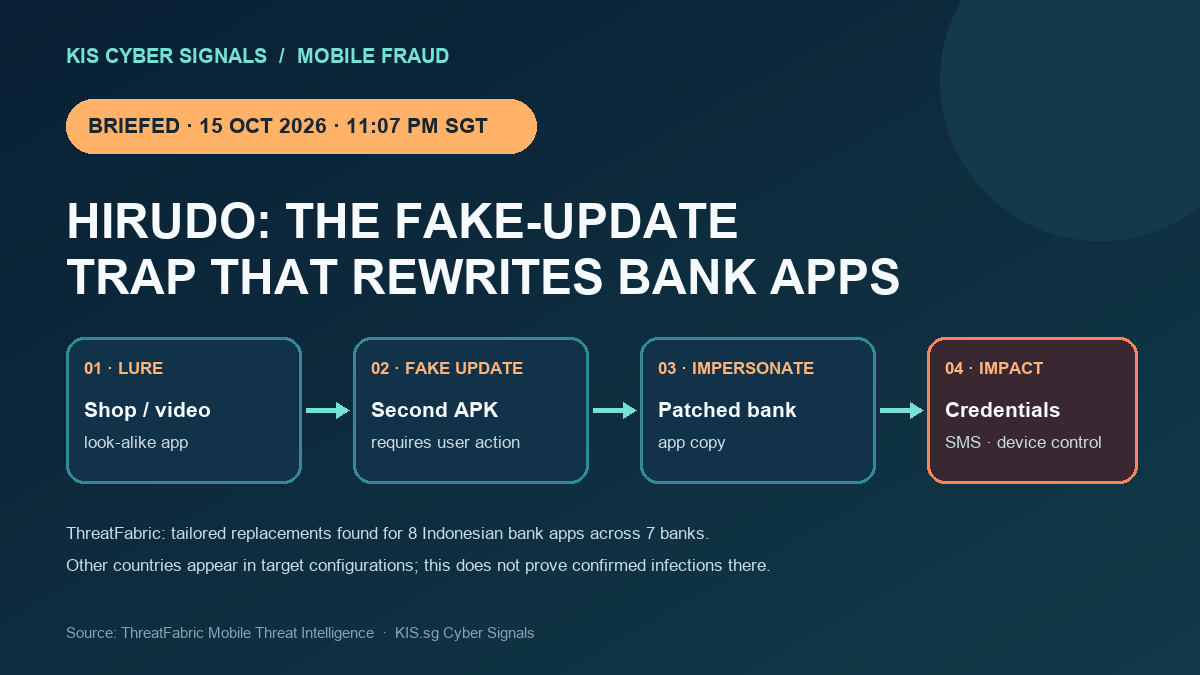
An Android banking Trojan called Hirudo takes aim at the trust people place in familiar apps. ThreatFabric’s new analysis describes a two-stage setup: a themed shopping or entertainment app presents a fake update that installs a separate malicious APK. With permissions granted, the payload can collect credentials and SMS, capture screens, and enable remote control.
The distinctive step is app replacement. ThreatFabric found purpose-built patched copies for eight Indonesian banking apps across seven banks. Researchers also found other countries in Hirudo’s credential-target configuration, including India, but that configuration alone does not prove infections or affected banks in those markets. The documented replacement set is Indonesia-specific.
Why it matters
A convincing icon is not proof that a banking app is genuine. By modifying an app’s local security checks, Hirudo can make some device-side signals less trustworthy. The campaign still depends on a user approving installation steps, creating a chance to stop it.
What to do
- Install banking apps and updates only through the official app store; never follow an ad, pop-up, or in-app “update” to a separate APK.
- Decline unexpected Accessibility, notification, or device-admin access requests, especially from newly installed entertainment or shopping apps.
- If you installed an app from an update link, contact your bank using a trusted number, secure the account, and change credentials from a device you trust.
- For banks, combine server-side app-integrity checks with transaction-risk monitoring; treat client-reported integrity signals as potentially manipulated.
Sources: ThreatFabric technical analysis · Gulf News interview and consumer guidance